Why Is My Solar Battery Not Charging?
A safe, staged check from the panels to the battery, with clear points where you stop and call a professional.
When a solar battery stops charging, the cause is often simple: not enough sun, a wrong setting, a tripped switch or a battery that has protected itself. This guide takes you through the checks in a safe order, starting with the ones you can do without touching anything.
Stop points are marked ⛔. When you reach one, don't go further. Call your installer, a qualified solar technician or a licensed electrician.
Symptom finder: where to start
| What you see | Start at |
|---|---|
| Battery slowly lower each day, especially in winter | Stage 1 (sun, shade, use) and Case 1 |
| Controller shows no panel watts in full sun | Stage 2, then Stage 4. ⛔ The panel side is for a professional |
| Controller says "float" but the battery isn't full | Stage 3 (settings) and Case 2 |
| Error code on the screen or app | Stage 2 (look it up in the manual) |
| Lithium battery won't charge on cold mornings | Stage 2 (BMS status) and Case 3 |
| Breaker or isolator off | Stage 4 (reset once only) |
| Charges to "full" fast, then runs out fast | Stage 6 (battery ageing) |
| Burning smell, heat, swelling or smoke | ⛔ Stop. Stage 1 |
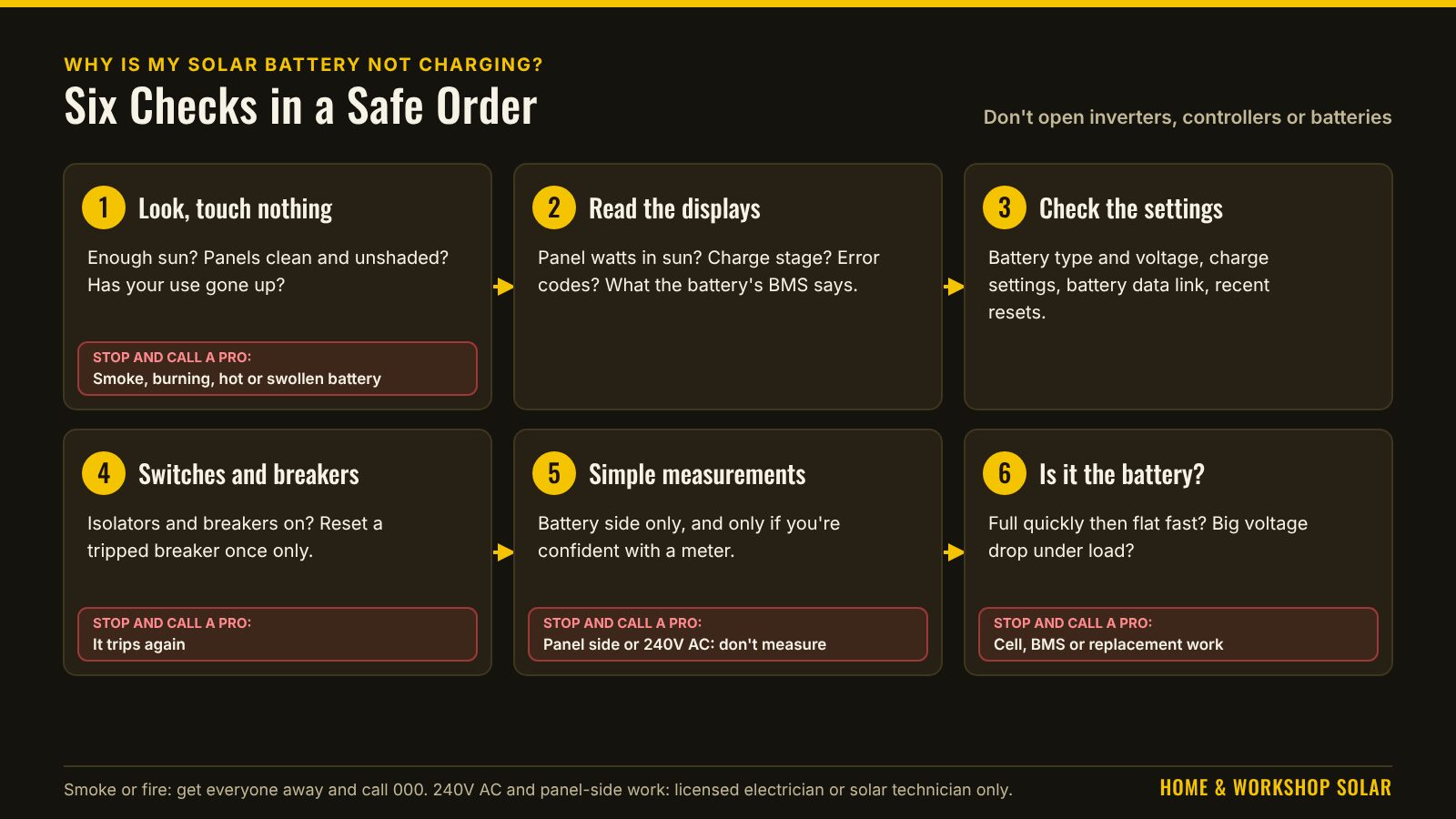
Stage 1: Look first, touch nothing
⛔ Stop now and call a professional if you see or smell: burning, melted or scorched parts, smoke, a hot battery or a swollen battery case. For a fire or smoke, get everyone away and call 000.
Otherwise, check:
- Is there enough sun? In winter, on cloudy days, or with new shade from a tree or building, the panels may simply be making less than you're using. The battery isn't faulty. It's just not keeping up. See What Size Solar System Do I Need?.
- Are the panels clean and unshaded? Dust, bird droppings, leaves and even a shadow across part of one panel can cut output a lot. Look from the ground. Don't climb onto a roof to check.
- Has your use gone up? A new fridge, heater or tool can use more than the system makes.
Stage 2: Read the displays and the app
Most charge controllers, inverter-chargers and lithium batteries show what they're doing, on a screen, status lights or a phone app.
- Is the controller seeing the panels? Look for a panel (PV) voltage or watts reading during sunny daytime. Zero in full sun points to the panel side.
- Is it in a charge stage? Many controllers show stages such as bulk, absorption or float. "Float" means it thinks the battery is full.
- Any error codes? Look them up in the manual or the maker's app. Many codes explain exactly what's wrong.
- What does the battery say? Lithium batteries often report state of charge, temperature and BMS status. A BMS may block charging when the battery is too cold, too hot, or a cell is out of range.
Stage 3: Check the settings
- Battery type: the controller and any inverter-charger must be set to your battery's chemistry, such as lithium (LiFePO4) or AGM, and its voltage. A wrong setting can stop charging early or prevent it altogether.
- Charge voltages and limits: if your battery maker gives charge figures, check the settings match them. How to Read a Battery Data Sheet explains those figures.
- Battery communication: many lithium batteries talk to the inverter over a data cable. If that link fails, the inverter may stop charging. The app usually shows a communication error.
- Recent changes: a firmware update, a power cut or a reset can change settings.
Stage 4: Switches and breakers
- Are the isolators and breakers on? Check that the panel isolator, battery isolator and any DC breakers are in the on position. A breaker that has tripped may sit in a middle position.
- Reset once only. If a breaker has tripped, you can reset it once. ⛔ If it trips again, stop. Something is causing it, and it needs a professional.
- Has the battery switched itself off? Some batteries have a power button, or need waking after the BMS has shut them down. The manual says how.
⛔ Don't open inverters, controllers, battery cases or combiner boxes. They can hold dangerous voltages even when switched off, and panel strings can be well over 120V DC whenever there is daylight.
Stage 5: Simple measurements (for those comfortable with a multimeter)
Only if your system is extra-low voltage (such as 12V, 24V or 48V battery side), the terminals are designed to be accessible, and you're confident using a meter safely. See How to Use a Multimeter Safely.
- Battery voltage at rest, compared with the battery maker's chart.
- Battery voltage while charging in full sun. It should rise above the resting voltage.
- Compare the controller's displayed battery voltage with your meter reading at the battery terminals. A big difference suggests a problem in the connections between them.
⛔ Don't measure on the panel (PV) side of a system, or on anything connected to 240V AC. That's for a qualified solar technician or licensed electrician. For what a voltage reading can and can't tell you, see What a Voltage Reading Can and Cannot Tell You.
Stage 6: Is it the battery?
Batteries wear out. An old battery may accept charge and still not hold it. Signs include:
- the battery reaches "full" quickly, then runs out fast
- the voltage drops sharply when you switch on a load
- the system is older and the problem has crept up over time
A lead-acid battery left partly charged for long periods can be damaged permanently. A lithium battery's BMS may refuse to charge if a cell has gone too low. ⛔ Battery replacement, cell faults and BMS faults are for the battery maker or your installer.
Three worked cases (made-up examples)
Case 1: the winter shortfall.
- The system: 1,200W of panels, 3 winter peak sun hours and a 30% loss allowance give about 1,200 × 3 ÷ 1.3 ≈ 2,770Wh a day.
- The use: the workshop now uses 3,000Wh a day since a heater was added.
- What happens: the battery falls by about 230Wh each day. A battery with 6,144Wh usable doesn't run flat for weeks, but it never refills.
- The cause: nothing is broken. The system just makes less than is used. Cut use, add panels, or plan generator top-ups.
Case 2: "float" too early.
- The symptom: a new lithium battery replaced an old AGM, and the controller shows "float" by mid-morning while the battery app says 60%.
- The cause: the controller is still on an AGM setting, so it thinks the battery is full at the wrong voltage.
- The fix: choose the lithium profile and check every charge figure against the battery maker's data sheet (Stage 3).
Case 3: no charge at sunrise.
- The symptom: on frosty mornings the panels show watts but the battery won't charge until late morning.
- The cause: the battery app shows its BMS blocking charging below its low-temperature limit. That's the protection doing its job.
- The fix: a model with heating, or a warmer location. Talk to your installer before moving anything.
When to call a professional
Call your installer, a qualified solar technician or a licensed electrician if:
- you reach any ⛔ stop point
- an error code tells you to contact service
- a breaker or isolator trips again after one reset
- the panels show no output in full sun
- the problem is anywhere on the panel side or the 240V AC side
Before you call, write down the error codes, the readings on the displays, what you've checked, and when the problem started. It saves time and money.
Before you call: service record (fill in)
| Item | Your notes |
|---|---|
| When the problem started | |
| Weather and season | |
| Error codes (controller, inverter, battery) | |
| Panel (PV) watts shown in full sun, and the time | |
| Charge stage shown | |
| Battery state of charge and temperature (app) | |
| Battery voltage on the display (and your meter, if Stage 5) | |
| Settings checked (battery type, voltages) | |
| Switches or breakers found off or tripped | |
| Recent changes (new loads, firmware, power cut) |
Common mistakes
- Assuming a fault when it's a winter shortfall or new shade.
- Resetting a breaker again and again. Once only.
- Leaving lead-acid settings after changing to lithium.
- Climbing onto the roof to check panels.
- Opening equipment or measuring on the panel side.
- Ignoring error codes that the manual explains.
Frequently asked questions
Why does my controller say "float" when my battery isn't full?
Often a wrong battery type or voltage setting, especially after changing to lithium. Check Stage 3.
Why won't my lithium battery charge in the morning?
Many lithium batteries block charging below about 0°C. Check the battery's app or display for a temperature status.
Can dirty panels really stop charging?
They can cut output a lot, and partial shade on one panel can drag down a whole string. Look from the ground, and get panels cleaned safely.
Is it safe to check the panel side myself?
No. Panel strings can be well over 120V DC whenever there is daylight. That's for a qualified solar technician or licensed electrician.
How do I know if the battery is just old?
It reaches "full" quickly, then runs out fast, and the problem has crept up over time. A capacity test by your installer or the battery maker confirms it.
Safety: in Australia, any work on 240V AC wiring, including connecting an inverter, battery or solar system to a home's switchboard or fixed wiring, must be done by a licensed electrician. Grid-connected systems also need approval from your electricity network. Panel strings over 120V DC must be worked on by a licensed electrician.
Handy gear
These are examples to compare, not a recommendation for your home. Check any model's data sheet against this guide.
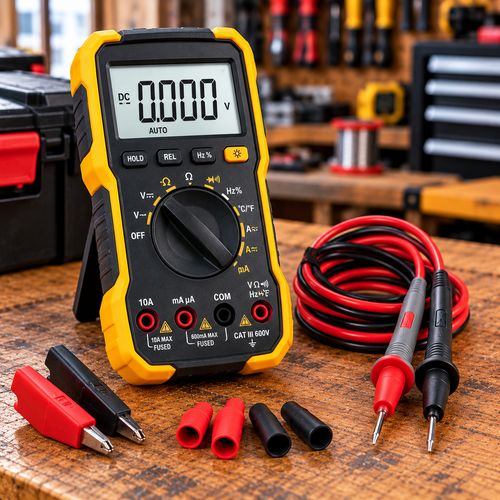

As an Amazon Associate I earn from qualifying purchases. Prices and availability are shown on Amazon.
Related guides
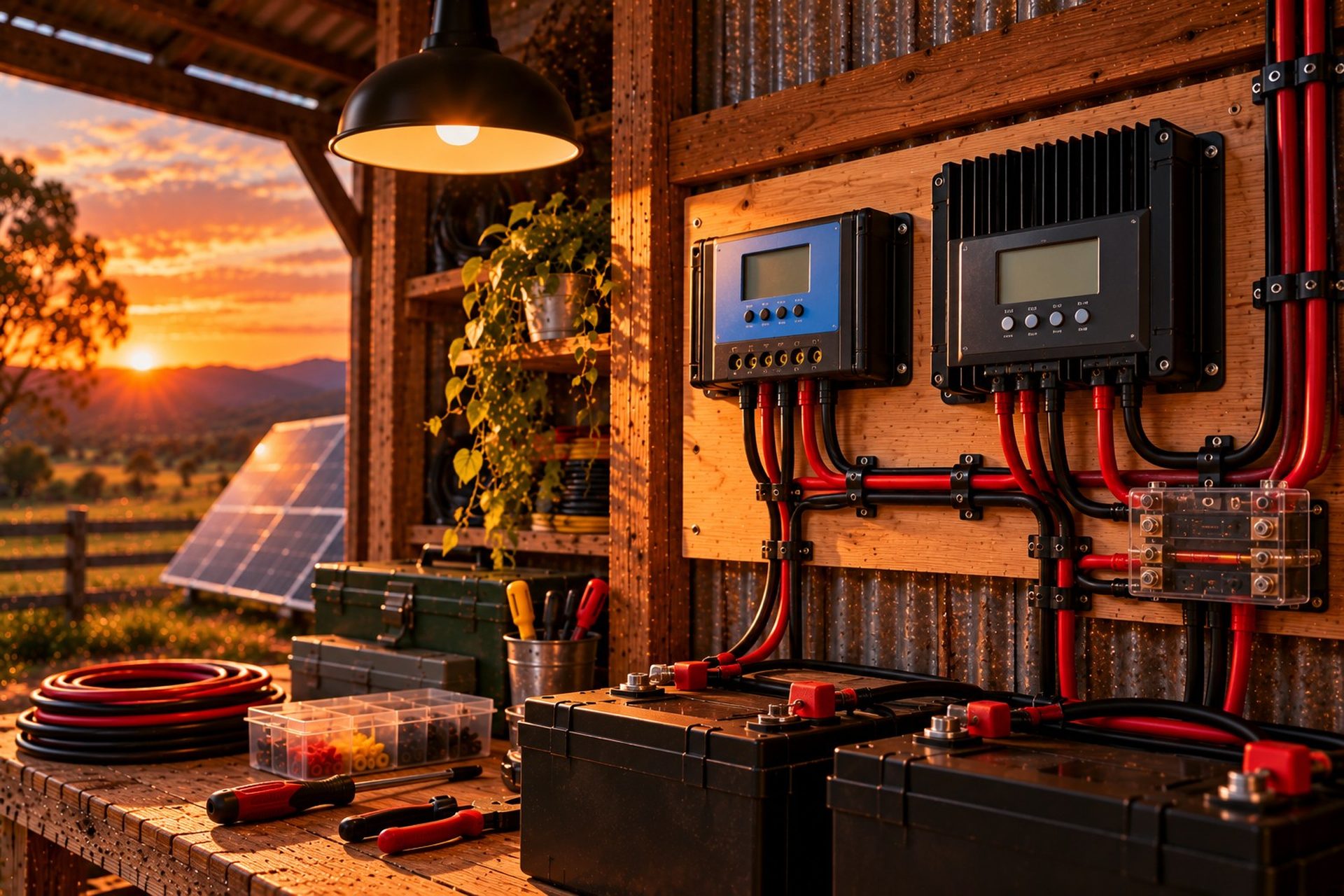
PWM vs MPPT Charge Controllers
What a charge controller does, how PWM and MPPT controllers differ, and which one suits your panels and battery.
Read guide →
How to Calculate Your Home or Workshop Power Needs
The first step for any solar system: list what you run, how long for, and turn it into the daily energy your system has to supply.
Read guide →